

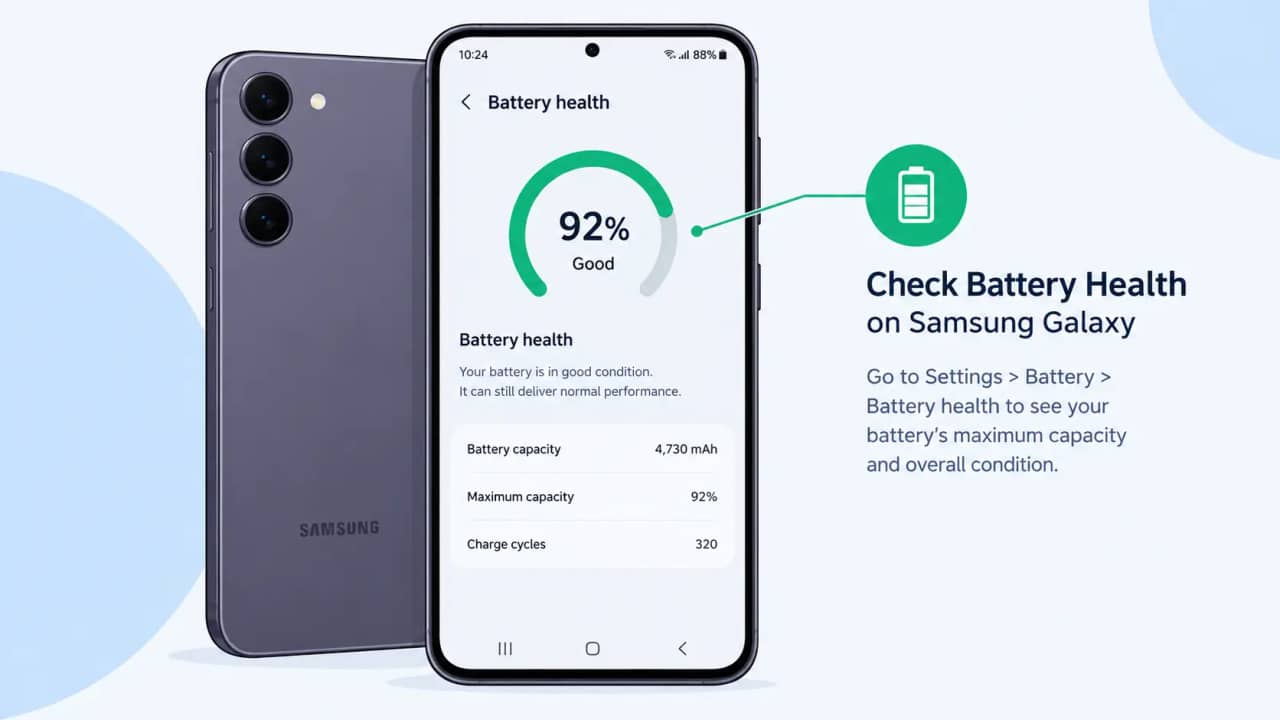
Tested on: Galaxy S23+, One UI 9.0
You can check battery health on Samsung Galaxy phones in three places: the Battery information page, the Battery status test in Samsung Members, and Device care diagnostics. Which one you see depends on your model, your region, and your One UI build. The Battery information page can show a percentage, while the Samsung Members test returns a verdict, so this guide gives the exact menu steps for each path.
What Battery Health Measures and When to Check It
Battery health compares the capacity your battery holds today with its rated capacity when new. Samsung calls the battery a consumable component that degrades with use.
Check it when you notice the signs Samsung lists: fast drain after a full charge and unexpected shutdowns, especially in cold weather. Buying a used Galaxy is another good time to check.
Do you need an exact percentage, or only a pass or fail answer? The table below matches what you see with your next move.
| What you see | What it tells you | What to do next |
|---|---|---|
| A battery performance degradation alert | Samsung detected a significant drop in battery performance | Book an inspection at a Samsung service centre |
| Battery status fails in Samsung Members | The hardware test flagged a fault | Check your warranty, then contact Samsung Support |
| Battery status passes, but the phone dies by afternoon | No hardware fault was detected | Work through the drain fixes below |
| Battery status passes and you get a full day | Battery is in acceptable shape | Turn on Battery protection to slow wear |
Requirements Before You Start
- Samsung Members must be installed. Samsung says to download it from the Galaxy Store or Play Store if it is missing, as described on its diagnostics support page.
- Device care diagnostics require Android 12 or later, according to the same Samsung page.
- The Battery information page depends on model and region. Samsung has not published a list of supported models.
- Install the latest firmware first. Open Settings, tap Software update, then tap Download and install.
How to Check Battery Health on Samsung Galaxy Phones, Step by Step
Start with Method 1 if your phone shows the Battery information page. Samsung Members and Device care work on Galaxy phones and tablets when that page is missing.
Method 1: Battery Information in Settings
Step 1. Open Settings and tap Battery.
On One UI 4 and One UI 5, tap Battery and device care first, then Battery.
Step 2. Scroll to the bottom and tap Battery information.
On supported models, the page lists Battery health, cycle count, manufacture date, and first used date. Android Authority reported those four fields on the Galaxy S25 series running One UI 7.
Step 3. Compare the health percentage with the cycle count.
One cycle is 100 percent of charge used, spread across one or several sessions. Log the health number every few months so you can see the trend.
Method 2: Battery Status in Samsung Members
Step 4. Open Samsung Members and tap Support.
Samsung's diagnostics page also places Diagnostics on the Discover tab.
Step 5. Tap Get started, then start the full diagnostics and stop them.
Samsung's UK battery page says to stop the full test and then select the item you want. If the page will not open, try Samsung Internet.
Step 6. Tap Battery status and wait for the result.
Follow any on-screen prompts the test shows.
Step 7. Read the verdict and any suggestion beneath it.
When a test fails, Samsung's page says the app offers suggestions and a View related FAQ link. Expect a verdict here, not a capacity percentage.
Method 3: Diagnostics in Device Care
Step 8. Open Settings and tap Device care.
Use this route when Samsung Members will not load. Our Device care storage guide covers the other tools on this screen.
Step 9. Tap Diagnostics, then tap Phone diagnostics.
Does your Device care screen show Diagnostics? Samsung lists this path for devices running Android 12 or later.
Step 10. Stop the full scan, then tap Battery status.
New One UI 9 foldables add a Warranty and care menu, and our Warranty and care explainer covers the models Samsung named at launch.
Method 4: Read the Exact Percentage From the Dumpstate Log
When Battery information is missing, a dumpstate log can show the raw capacity value. This community method is not a Samsung feature. A Samsung Community walkthrough describes it for the Galaxy S23 Ultra.
WARNING: The log holds detailed system data. Share it only with people you trust, and never post it publicly.
Step 11. Turn off Auto Blocker in Settings > Security and privacy, then open Phone.
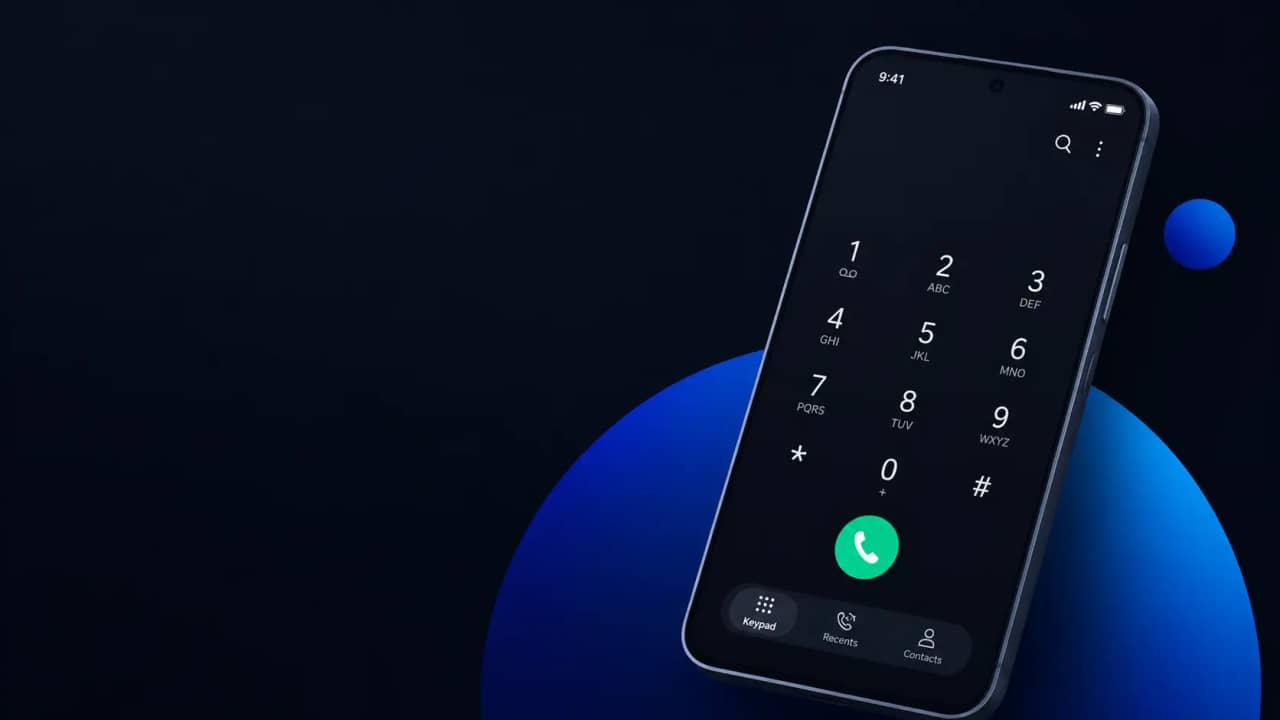
Dial *#9900#. A menu called SysDump opens. Auto Blocker can stop the menu from loading, so change it first.
Step 12. Tap Run dumpstate/logcat, then tap OK when the Dump Result window appears.
The run takes several minutes, so leave the phone alone until it finishes.
Step 13. Tap Copy to sdcard.
The files land in internal storage, despite the button name.
Step 14. Open My Files, go to Internal storage > log, and unzip the dumpState file.
Open dumpstate.txt in a text editor with search, because the file is large.
Step 15. Search for mSavedBatteryAsoc, then search for battery_cycle.
The mSavedBatteryAsoc value is your remaining capacity percentage. The battery_cycle value is your cycle count.
Battery Health Paths by One UI Version
Samsung's support pages confirm the charge limit steps. The older-build paths come from a secondary source.
| One UI version | Battery menu path | Battery information page | Battery protection charge limit |
|---|---|---|---|
| One UI 4 to 6.0 | Settings > Battery, or Battery and device care > Battery on older builds | Not confirmed by Samsung | 85 percent only |
| One UI 7 | Settings > Battery | Galaxy S25 series at launch, region dependent | 80, 85, 90, or 95 percent |
| One UI 8 to 9 | Settings > Battery | Model and region dependent | 80, 85, 90, or 95 percent |
The charge limit column draws on Samsung's battery protection guide, which dates the 80 to 95 percent options to One UI 7.0. The Samsung Canada page confirms the same slider steps on current devices.
Battery Health Myths Samsung's Pages Contradict
Three claims circulate online, and Samsung's documentation contradicts each one.
The first myth says the ##4636## dialer code opens a battery health menu on any Android phone. Samsung's support pages name Samsung Members and Device care as the diagnostic tools and list no such code.
The second myth says Maximum mode on One UI 9 caps charging at 80 percent. Samsung's guide shows a slider that lets you pick 80, 85, 90, or 95 percent.
The third myth says a Normal verdict in Samsung Members means the battery holds more than 80 percent. Samsung publishes no percentage cutoff for that verdict, so treat it as a pass or fail signal.
Common Battery Health Problems and How to Fix Them
Problem: Battery information is missing from Settings > Battery.
Cause: Samsung enables this page by model, region, and firmware build. A Samsung Community thread from 2025 says Samsung had not enabled it for US users at that time.
Fix:
- Install the latest firmware from Settings > Software update.
- Run Battery status in Samsung Members for a verdict.
- Use the dumpstate log in Method 4 for a percentage.
Problem: The Samsung Members diagnostics page will not open or stays blank.
Cause: Samsung's UK battery page says the diagnostics page can fail to load in some browsers and recommends Samsung Internet.
Fix:
- Update Samsung Members in the Galaxy Store.
- Open the diagnostics page in Samsung Internet, then try again.
- Run Device care diagnostics from Method 3 if the page still fails.
Problem: Your battery stops at 79 percent on Maximum, or stays at 100 percent on Basic.
Cause: Battery protection is working. Samsung's FAQ says Maximum restarts charging about 2 percent below your limit, and Basic restarts at 95 percent.
Fix:
- Open Settings > Battery > Battery protection and check the active mode.
- Choose Basic for a full charge, or raise the Maximum limit before a long trip.
Problem: The battery percentage freezes after a One UI update and ignores the charger.
Cause: A Samsung Members community post from a Galaxy S23 owner describes this after One UI 7. The poster says the reading stayed frozen until a restart.
Fix:
- Restart the phone and check the reading again.
- Touch and hold the Samsung Members icon, tap Error reports, and send a report with system log data.
Problem: The battery health reads well, but the battery drains fast after the One UI 9 update.
Cause: Samsung's battery guide ties rapid drain to outdated software and apps. A healthy reading points to software, not the cell.
Fix:
- Update every app in the Play Store and the Galaxy Store.
- Open Settings > Battery > View details and find the app using the most power.
- Add rarely used apps to Deep sleeping apps under Background usage limits.
Frequently Asked Questions About Galaxy Battery Health Checks
Q: Will Samsung replace a worn battery for free?
A: Samsung's UK page says a replacement is either covered under warranty or billed as paid service, depending on your warranty terms. Check your coverage before you book a service centre visit. Samsung also recommends its service centre for any battery alert you see.
Q: Does Battery protection still charge my phone with a wireless charger?
A: Yes. Samsung's battery protection page says a wireless or low-output charger can fall behind your usage. In Basic mode, the battery then drains below 100 percent and recharges at 95 percent.
Q: Why won't Sleep time protection turn on?
A: Sleep time protection needs Customisation Service consent and related permissions. Samsung says the phone takes about two weeks to learn your sleep pattern, or three to four days if a previous phone already learned it. Samsung's US page describes a similar mode called Adaptive.
Q: Can I add Battery protection to Quick settings?
A: Yes. Swipe down from the top right, tap the Edit icon, tap Add a control, and choose Battery protection under System apps. You can then switch it on before an overnight charge.
Q: Is One UI 9 the last major update for the Galaxy S23+?
A: Forbes reports that One UI 9 is likely the final major upgrade for the S23 series. A new battery will not extend software support. Weigh that before you pay for a battery replacement, and track rollouts through our One UI 9 rollout coverage.
Where to Go After Your Battery Check
To check battery health on Samsung Galaxy again later, write down your percentage and cycle count today. Run the check every few months to measure the drop. If you want Battery protection to switch on at night, our Samsung Routines guide shows how to automate phone settings.
Which Galaxy model and One UI version are you on, and did Battery information show a health percentage? Tell us in the comments.








Responses (0 )